The viral Hotel Lobby AI trend
Hotel Lobby
AI Video Generator
Two photos in. A 6.5-second Hotel Lobby video out — you and your person side by side in the orange booth, singing into the hanging mic. Ready for TikTok in minutes, from $9.99.
From $9.99 · one-time payment · no subscription · no account
What you get
Two selfies become one live session
Each person keeps their own face, hair and outfit. The left photo stays on the left, the right photo on the right. The booth, the light and the hanging mic are the same every time, so your clip reads as the trend at first glance.
- 9:16
- vertical MP4
- 6.5s
- performance clip
- 0
- watermarks
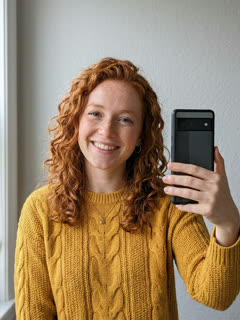
 2 photos in
What is the Hotel Lobby AI trend?
The Hotel Lobby AI trend recreates Quavo and Takeoff's 2022 “Hotel Lobby (Unc & Phew)” performance on A COLORS SHOW — two people singing side by side in an orange booth with one microphone hanging between them. It went viral on TikTok and X in September 2026, with people swapping in best friends, couples, siblings and parents. Make Hotel Lobby turns two ordinary photos into a 6.5-second vertical 9:16 video of the two of you in that booth, with AI-generated vocals — no original footage, no one else's face and no subscription.
Updated . Make Hotel Lobby is an independent tool, not affiliated with Quavo, Takeoff, their label or COLORS.
How to do the Hotel Lobby AI trend
4 steps, about 5 minutes, no filming.
- 01
Upload two photos
Photo 1 becomes the person on the left, photo 2 the person on the right. One person per photo, face clearly visible.
- 02
Generate your 6.5-second video
AI puts both of you in the orange booth, taking turns at the hanging mic. Most videos are ready in 1–3 minutes.
- 03
Add the Hotel Lobby sound
In TikTok, tap Add sound, search “Hotel Lobby Quavo Takeoff”, pick the trending clip and lower the original volume. Same idea in Reels or CapCut.
- 04
Label it as AI and post
Turn on TikTok's AI-generated content label in More options before posting. It's required for realistic AI video and keeps your post safe.
Who people put in the booth
Best friends
The most common version of the trend.
Couples
Anniversary posts and soft launches.
Siblings
Recreate the uncle-and-nephew energy of the original.
Parent & grown-up kid
Surprisingly good for Mother's and Father's Day.
You & your idol-level friend
Your group chat's main character, finally on stage.
Someone you miss
Two photos of people who can't be in one room anymore.
Launch pricing
Pay per video. That's it.
- One-time payment · No subscription
- Video credits never expire
- Failed generations automatically return your credit
- No watermark
Hotel Lobby AI generators compared
The main ways to make the trend, as of September 2026.
| Make Hotel Lobby | Face-swap onto the original clip | Subscription AI apps | CapCut / manual edit | |
|---|---|---|---|---|
| What you upload | 2 photos | 1–2 photos | 2 photos | Your own footage |
| Uses the original COLORS footage or Quavo/Takeoff's likeness | No | Yes | Varies | No |
| Price | From $9.99 per video | ~$5 per clip | Weekly or monthly plan | Free, but hours of work |
| Subscription | No | Sometimes | Yes | No |
| Both people need to film | No | No | No | Yes |
| Audio | AI vocals — add the trend sound on TikTok | Original song | Varies | Whatever you record |
FAQ
What is the Hotel Lobby AI trend?
+
The Hotel Lobby AI trend recreates Quavo and Takeoff's 2022 “Hotel Lobby (Unc & Phew)” performance on A COLORS SHOW — two people singing side by side in an orange booth with one microphone hanging between them. It went viral on TikTok and X in September 2026, with people swapping in best friends, couples, siblings and parents. Make Hotel Lobby turns two ordinary photos into a 6.5-second vertical 9:16 video of the two of you in that booth, with AI-generated vocals — no original footage, no one else's face and no subscription.
Which song is used in the Hotel Lobby trend?
+
“Hotel Lobby (Unc & Phew)” by Quavo and Takeoff, from their 2022 album Only Built for Infinity Links, performed on A COLORS SHOW. It is not the “Hotel Lobby” dance song by Tobii — that's a different 2025 TikTok trend.
Does my video include the Hotel Lobby song?
+
No. Your clip comes with AI-generated vocals so it feels live, but not the original recording. Add the trending sound inside TikTok, Reels or CapCut when you post — that links your video to the trend and avoids copyright blocks.
How do I add the Hotel Lobby sound on TikTok?
+
Upload your downloaded video in TikTok, tap Add sound, search “Hotel Lobby Quavo Takeoff”, choose the trending clip, then open Volume and turn the original sound down. In Instagram Reels, use Add audio the same way.
Does it use Quavo's or Takeoff's face, voice or the original COLORS video?
+
No. Every video is a newly generated scene with only the two people from your photos. Nothing from the original performance is copied, and we're not affiliated with the artists, their label or COLORS.
Which person goes on the left?
+
Photo 1 is always the person on the left and photo 2 the person on the right, just like the upload boxes. Each person keeps their own face, hair and outfit.
Which photos work best?
+
One person per photo, face clearly visible, looking roughly toward the camera, in good light. Waist-up selfies are ideal. Avoid sunglasses, heavy filters, group photos and tiny faces.
How long does it take?
+
Most videos are ready in 1–3 minutes. You watch it finish on your result page and can download the MP4 right there.
How much does it cost?
+
1 video $9.99, 3 videos $19.99, 10 videos $49.99. One-time payment, no subscription and no account. Unused videos never expire and there's no watermark.
Is there a free Hotel Lobby AI generator?
+
Some apps offer a free preview or trial and then move you to a weekly or monthly plan. We don't do free trials; instead you pay once per video, from $9.99, with no subscription to cancel.
What if my video fails or looks wrong?
+
If a generation fails, its video credit comes back automatically and you can try again. If a finished video mixes up faces or looks off, email us within 7 days and we'll re-make it.
Do I need a CapCut template for the Hotel Lobby trend?
+
No. CapCut templates need footage of both people filmed in front of a plain wall. Here you only need two existing photos — nobody has to film anything.
Do I have to label it as AI on TikTok?
+
Yes. TikTok requires creators to label realistic AI-generated video. Turn on the AI-generated content setting under More options before posting.
Can I make one with my parent, my kid or someone who has passed away?
+
Yes, as long as you have the right to use the photos. For anyone under 18 you need a parent's or guardian's consent. Clear, front-facing photos work best.
What happens to my photos?
+
They're used only to make your video. We don't sell them, share them or use them to train models, and uploads and videos are deleted automatically after 30 days.
Can I use a photo of someone else?
+
Only with their permission. Don't upload photos of people who haven't agreed, or use the trend to impersonate public figures.